The marksheet
- Open the class and scroll to Marksheet.
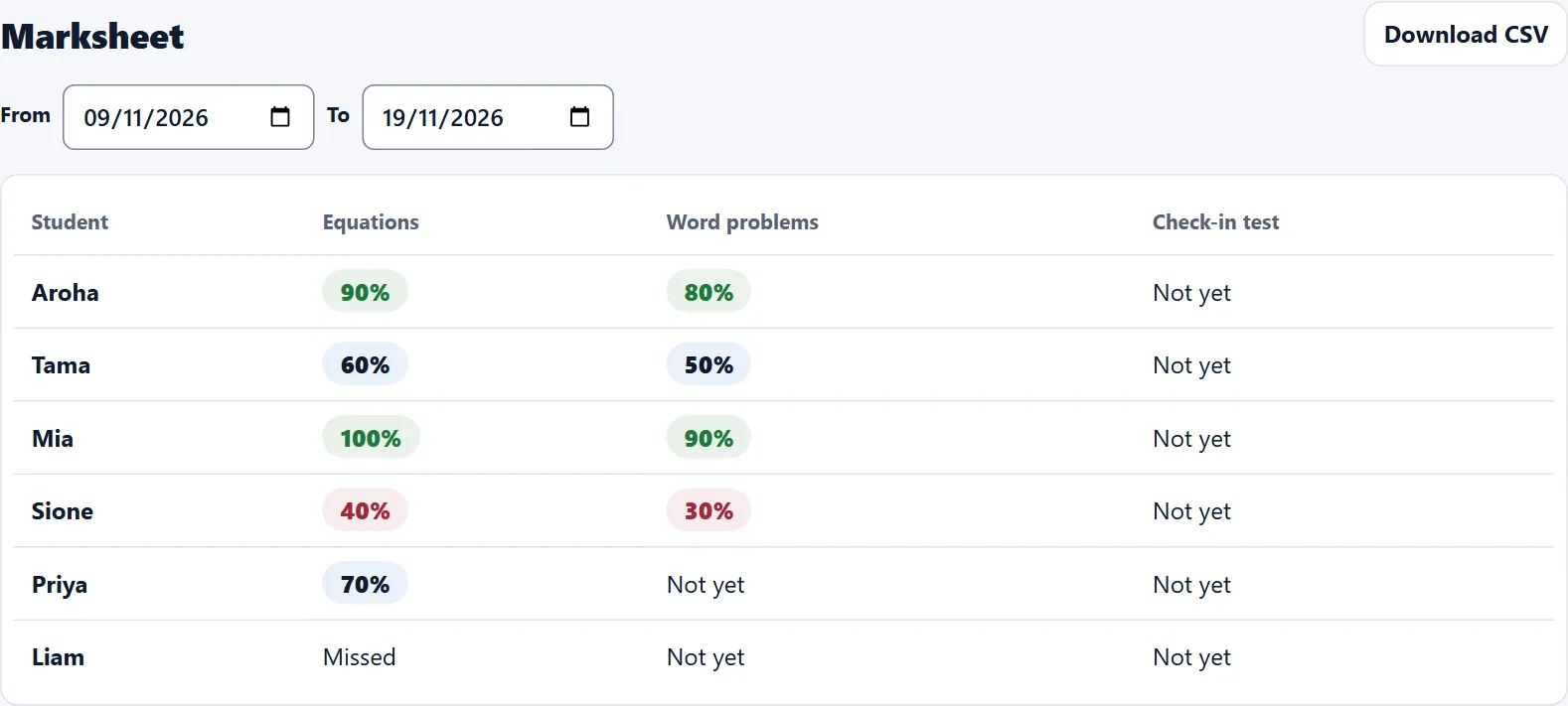
- Each student has a row and each task a column: the share right first time, Not yet, or Missed once the due day has passed.
- From and To choose which tasks show. Download CSV gives the same grid.
- With one class picked, All tasks has a Marksheet button too.
The leaderboard
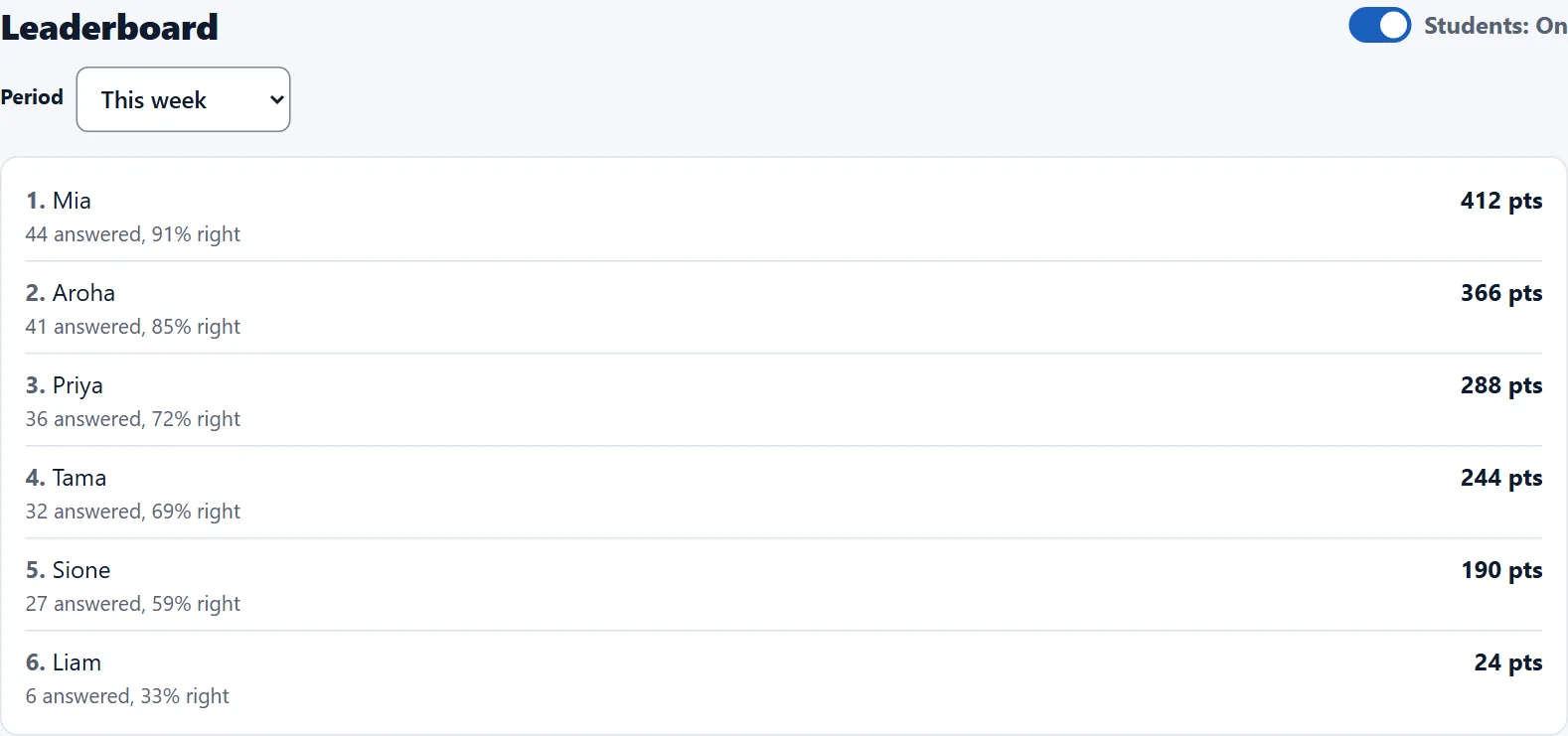
- Scroll to Leaderboard and pick This week, Last 4 weeks, This term or This year.
- Points: 10 for a right first answer, 2 for a try. Practice-paper parts earn none.
- Students: On shows your students their class's top 10 for the week. You always see yours.
Classwork and homework
- When you set a task, choose Classwork or Homework.
- All tasks can show one type at a time.
Bookwork checks
- On a practice task, set Bookwork checks to On.
- Every third question a student gets right, they pick their earlier answer to a question named only by its number.
- The task's results show matched out of asked for each student.
Reports and certificates
- In Students, Report opens one page for that student to print: strengths, gaps by strand, tasks, recent activity and next steps.
- Certificates lists the Bronze, Silver and Gold strand certificates your students have earned. Tick who to print, then Print.